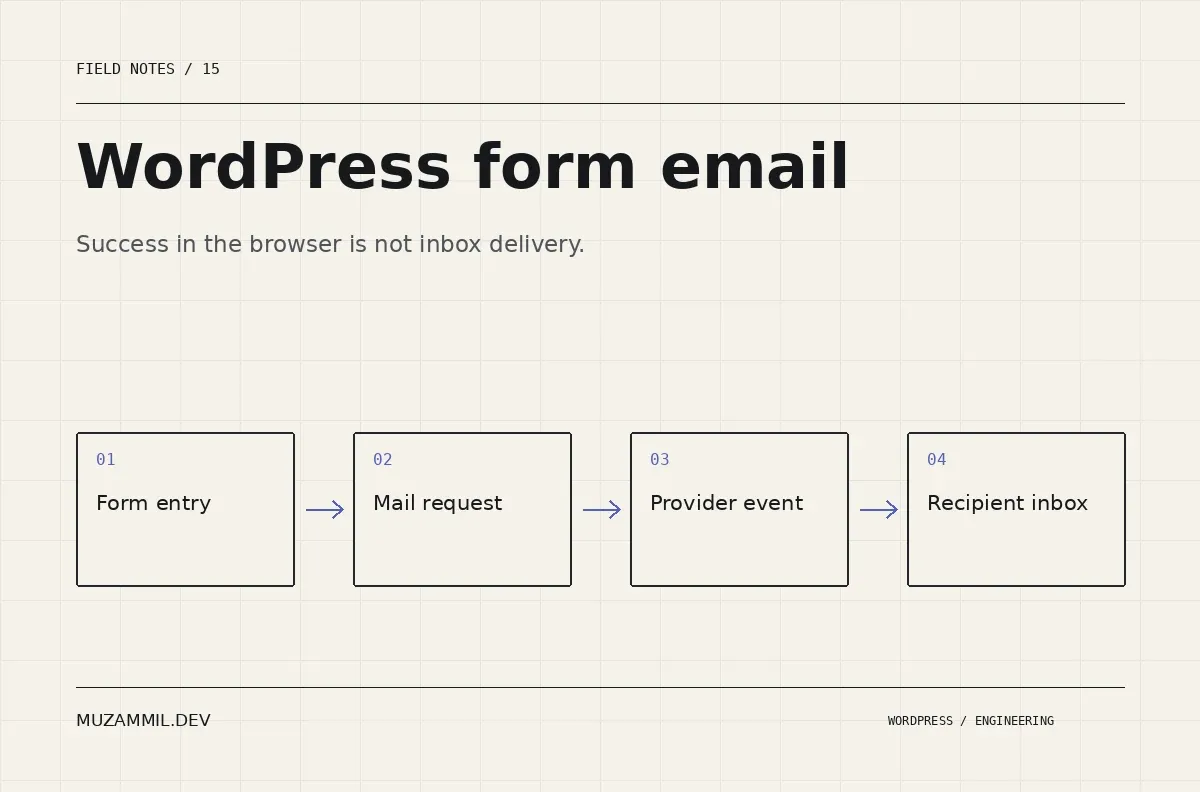
WordPress form email can fail after the page has already told the visitor that their message was sent. That success message may describe form processing, not delivery to the business’s inbox.
For a service website, the distinction matters. The visitor thinks the conversation has started. The business sees nothing. Meanwhile, the form still looks healthy during a quick visual review.
The way to diagnose this is to follow one safe test submission through each stage. Do not begin by installing several mail plugins or replacing DNS records without understanding which stage failed.
Give the test submission an identity
Use a harmless, clearly labelled test message and record the time, form and expected recipient. Include a unique reference in the message or use the form’s stored entry identifier where available.
Then submit through the published page as a logged-out visitor. A builder preview may bypass scripts, caching or validation that affect the real page.
Record the visible response and inspect whether an entry was saved. If the form should store entries but no record exists, investigate submission processing before email delivery.
Also repeat with the actual conditions that seem to fail: a particular service selection, uploaded file or conditional branch. A notification rule can work for one route and silently exclude another.
Separate the stages of WordPress form email
Think of the path as a set of handoffs: the browser submits, the server validates, the form plugin processes the entry, a notification rule runs, the mail transport accepts the request, and the receiving system handles the message.
The wp_mail documentation explicitly states that a true return value does not prove the recipient received the email. That distinction prevents a common diagnostic dead end.
Use evidence at each stage. A saved entry proves something different from a transport log. A provider’s delivered event proves something different from a human seeing the message in the intended inbox folder.
If you cannot observe a stage, note the gap rather than treating it as successful. Then add the smallest safe diagnostic needed to make that handoff visible.
Check the notification rule before the transport
Open the form’s notification settings and inspect the actual recipient, conditions and enabled state. A dropdown label may map to a different internal value than the rule expects.
Check whether the notification depends on a field that is hidden or empty on the failing route. Then compare the stored submission with the rule’s conditions.
Also inspect the message template. Broken field references can create an empty or misleading email even when the transport works. Keep the subject clear enough that the business can recognise the form and submission without exposing unnecessary personal data.
Finally, verify whether the form uses a queue or an external integration. A queued notification may depend on a scheduled task that is delayed or failing. That is a processing problem, not necessarily an SMTP credential problem.
Use an authenticated sender and a sensible Reply-To
A typical business form should send from an address authorised for the site’s mail domain. The visitor’s email can be placed in Reply-To where the plugin and workflow support it.
Using the visitor’s address as From can create authentication and alignment problems, because your website is not automatically authorised to send as every visitor’s domain.
Review the chosen mail provider’s setup instructions. Google’s email sender guidelines describe authentication requirements for mail sent to personal Gmail accounts. Other receiving systems also apply their own checks.
Do not copy a provider’s SPF or DKIM value from an unrelated tutorial. Use the exact values issued for your account, and coordinate DNS changes with whoever manages the domain’s other mail senders.
Inspect errors without logging the whole enquiry
During a controlled test, WordPress provides a hook when PHPMailer throws an exception. The wp_mail_failed reference documents that event.
The following development-only example records an error code. It intentionally avoids writing the message body, recipients or attachments into a general-purpose log.
<?php
/** Record a minimal mail-processing signal during controlled tests. */
add_action( 'wp_mail_failed', function ( WP_Error $error ) {
    if ( ! defined( 'WP_DEBUG' ) || ! WP_DEBUG ) {
        return;
    }
    error_log( 'mz_mail_processing_failed code=' . $error->get_error_code() );
} );
Use an appropriately protected logging route and remove temporary diagnostics after the investigation. This hook does not report every kind of non-delivery, and it cannot tell you whether a recipient’s server later classified a message as spam.
If your form or transport bypasses wp_mail, inspect its own documented events instead. A hook that never runs may simply be outside the active delivery path.
Follow the provider’s message events
If the site uses an email API or SMTP provider, locate the test message in that provider’s activity logs. Look for acceptance, deferral, bounce or delivery information according to the provider’s terminology.
Keep the provider’s message identifier with the form entry reference. That gives support teams a way to discuss the same message rather than repeating the test without context.
Then inspect any suppression or block list through the normal account controls. A previous hard bounce can affect later attempts to the same recipient. Changing the form design will not repair that state.
Do not interpret a single delivered event as proof that every notification route works. Test the specific recipients and conditional paths the business depends on.
Investigate receiving-side handling
Check the intended mailbox’s spam folder, filters, forwarding rules and shared-inbox behaviour. A message can arrive at the account but be routed somewhere the team does not monitor.
If you can inspect headers, use them to confirm the sender and authentication results. Coordinate with the mail administrator when the evidence points to a domain or policy issue.
Google’s SPF setup guidance and DMARC guidance explain different parts of domain authentication. Treat those as separate mechanisms rather than interchangeable acronyms.
Avoid making a strict policy change while legitimate senders remain unaccounted for. Build the sender inventory first and follow the provider’s rollout process.
Keep enquiries recoverable when email fails
For an important lead form, email should be a notification channel rather than the only recoverable copy of the request. Choose an appropriate entry-storage and retention policy for the information being collected.
Then define who checks failed notifications and how they retry them. If the form also sends data to a CRM, keep that handoff observable too. The CRM integration article discusses retries and ownership beyond the first successful request.
Also make the success message honest. It can confirm that the request was received by the website and explain the expected response time. It should not make a stronger delivery claim than the system can support.
Add WordPress form email to routine checks
Keep a safe test path and repeat it after changes to the form, transport, domain or hosting. Include one conditional route and any attachment workflow you rely on.
Record the entry, transport and recipient evidence. If a stage changes, investigate that stage before replacing the entire stack.
For wider integration design, see reliable WordPress API integrations. If enquiries appear to vanish, send the form URL and describe the last confirmed stage. Do not include passwords or private customer submissions in that first message.
A form is working when the business can receive, find and act on the request. The green success box is only one part of that test.


