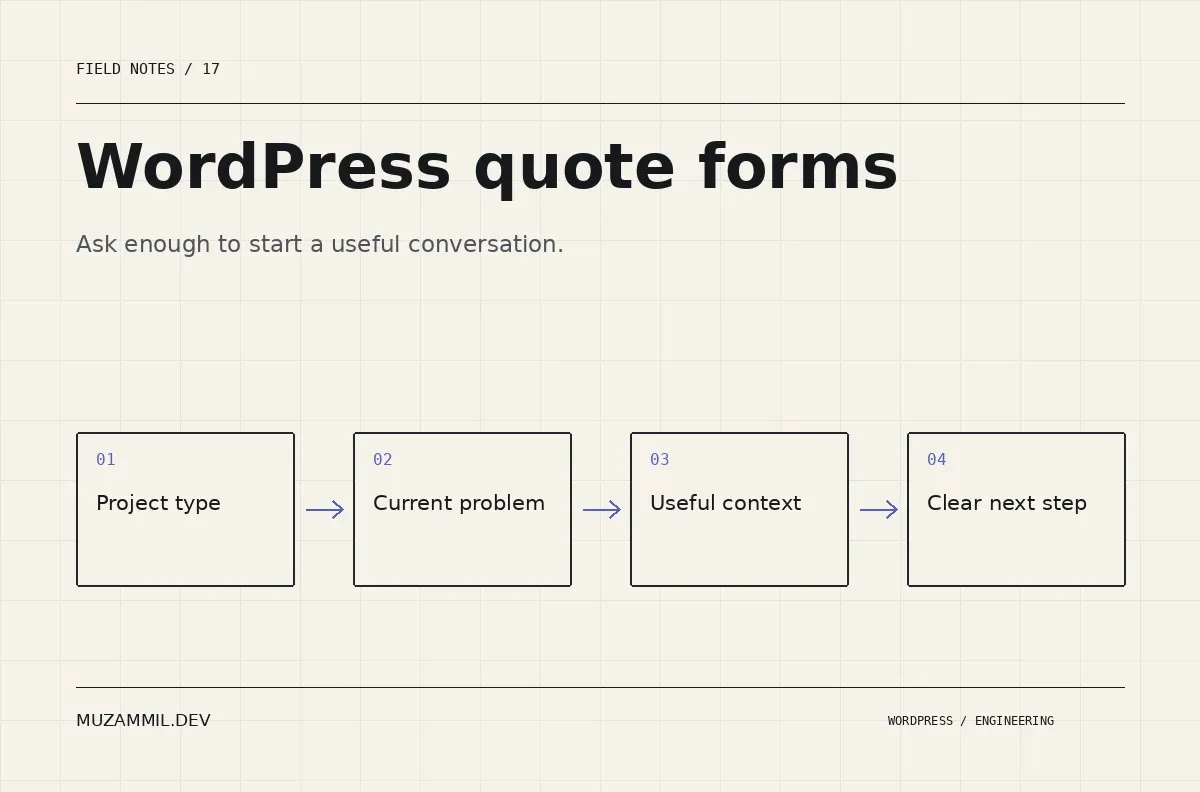
WordPress quote forms should help a visitor start a useful conversation. Many do the opposite: they ask for a detailed project specification before the prospect knows whether the developer is the right person to contact.
A blank box labelled “Tell us everything” transfers the planning work to someone who may already be dealing with a broken checkout, an unclear redesign or a plugin nobody wants to maintain.
You still need enough information to respond intelligently. The answer is a sequence of useful choices, a few conditional questions and a small space for context. This guide designs that first enquiry for a development service, with an emphasis on qualification rather than collecting the longest possible submission.
Decide what you need to know before replying
List the decisions that genuinely change your first response. Usually they include the type of work, whether a site already exists, the current problem, the approximate timing and a way to contact the person.
Then separate those from information you can request later. You probably do not need hosting credentials, a complete feature specification or a database backup before deciding whether to arrange a discovery conversation.
Also decide what qualification means for your business. It might mean a relevant technical problem and a realistic next step, rather than a particular company size or an impressive-sounding budget.
The W3C forms tutorial recommends asking only for information needed to complete the process. That principle is useful here even before you consider the form builder.
Start WordPress quote forms with a recognisable choice
Ask a question the visitor can answer without knowing your internal service names. “What do you need help with?” is more approachable than “Select an engagement modality.”
For a developer, a useful initial set might be a new website, improvements to an existing site, a technical problem, a custom workflow or ongoing development support. Keep the choices distinct enough to guide the next question.
Include an honest uncertainty route. “I’m not sure yet” is a useful answer, not a failed qualification. It tells you the first conversation may need diagnosis rather than a fixed estimate.
Avoid creating ten overlapping categories just to sound comprehensive. If a prospect cannot distinguish “custom development” from “bespoke solutions”, the choice does not help either of you.
Ask different questions for different situations
Someone reporting an existing fault can provide a page URL and the action that fails. Someone planning a new build can describe the audience and the main task the site should support.
Use conditional fields to make that difference visible. Do not show every question to everyone and then mark most of the form optional. A long screen can still feel demanding even when its fields technically are not required.
For an existing site, ask “What happens now?” and “What should happen instead?” A short answer to those questions can be more useful than a broad project description.
For a new project, ask for the main outcome. Give examples only if they clarify the task: selling a product, booking a service or replacing a manual workflow. Make clear that these are examples rather than promises about what the visitor must build.
Use native choice semantics underneath the design
Radio buttons work well when the visitor should select one answer. Checkboxes fit several independent answers. Keep labels clickable and group related options with a meaningful legend.
Here is a small HTML example for a custom implementation. In a form plugin, use the equivalent supported field controls rather than pasting this into a page without a submission handler.
<fieldset>
  <legend>What do you need help with?</legend>
  <label><input type="radio" name="project_type" value="existing-site" required>
    Improve an existing website</label>
  <label><input type="radio" name="project_type" value="new-build">
    Plan a new website or application</label>
  <label><input type="radio" name="project_type" value="diagnosis">
    Find the cause of a technical problem</label>
</fieldset>
The W3C grouping guidance explains the role of fieldset and legend. A custom visual card can still use these semantics; it should not replace them with unlabeled clickable containers.
Then test the actual design with a keyboard and on a phone. A large choice card is only useful if its focus and selected state remain clear.
Handle budget without pretending it is a quote
If an approximate budget helps route the enquiry, explain why you ask and provide ranges that fit your services. Include an option for someone who needs help defining scope.
Do not present a range selection as a binding price. A visitor choosing a band has not supplied enough information for a responsible fixed estimate on a complex system.
Also avoid treating the answer as the only signal of project quality. An urgent, poorly described request with a large number still needs clarification. A smaller project with a clear problem may be a better fit for a focused engagement.
Use the form to prepare the next conversation. Keep commercial commitments for a properly scoped proposal.
Make timing choices honest
Ask when the visitor hopes to begin or what deadline matters. Distinguish an external deadline from a preference for speed.
For example, a launch tied to an event is different from “as soon as possible”. A short conditional question can ask what makes the date important.
Then explain your next step without promising availability the system cannot know. A message such as “I’ll review the request and confirm the next step” is more reliable than an automatic promise to start tomorrow.
If the form routes urgent support, define that route separately. A standard quote inbox should not imply a round-the-clock incident service unless the business actually provides one.
Keep one small free-text field
Choice fields reduce the work of answering, but they cannot capture every relevant detail. Add a short context field with a useful prompt.
For example: “What is the one thing that needs to work better? A few sentences are enough.” That gives the visitor permission to be concise.
Keep an attachment optional unless the first response genuinely depends on it. For a technical enquiry, a public page URL or a safe screen recording may be enough. Do not ask people to upload credentials or private customer data.
Also make the privacy explanation specific to the enquiry. A compulsory marketing subscription should not be hidden inside a request for development help.
Design the response after WordPress quote forms
The success message should confirm receipt and describe the next step. If possible, show a reference the business can use to trace the enquiry.
Then verify storage and notification behaviour. The CRM integration guide explains why a reliable handoff needs ownership and recovery, not only an integration toggle.
Keep the first reply connected to the answers. A prospect who selected a technical fault should not receive a generic website-package email that ignores the problem they just described.
Also give the team a way to find failed notifications. A useful quote form is a small operational workflow, not only a collection of fields.
Review quality, not just submission count
Track the stages that matter: successful submissions, relevant enquiries, discovery conversations and suitable projects. A shorter form may increase submissions while also changing their quality.
Use that evidence to refine one question at a time. If many people select “other”, the initial choices may not match how they describe their needs. If useful prospects stop at the budget step, examine the wording and available answers before assuming they cannot afford the service.
For the broader buyer perspective, see how to choose a senior WordPress developer. If your enquiry form feels like a project brief, send its URL for a review.
WordPress quote forms should collect enough context for a better first response. The detailed specification can grow from a conversation with someone who is qualified to help write it.


