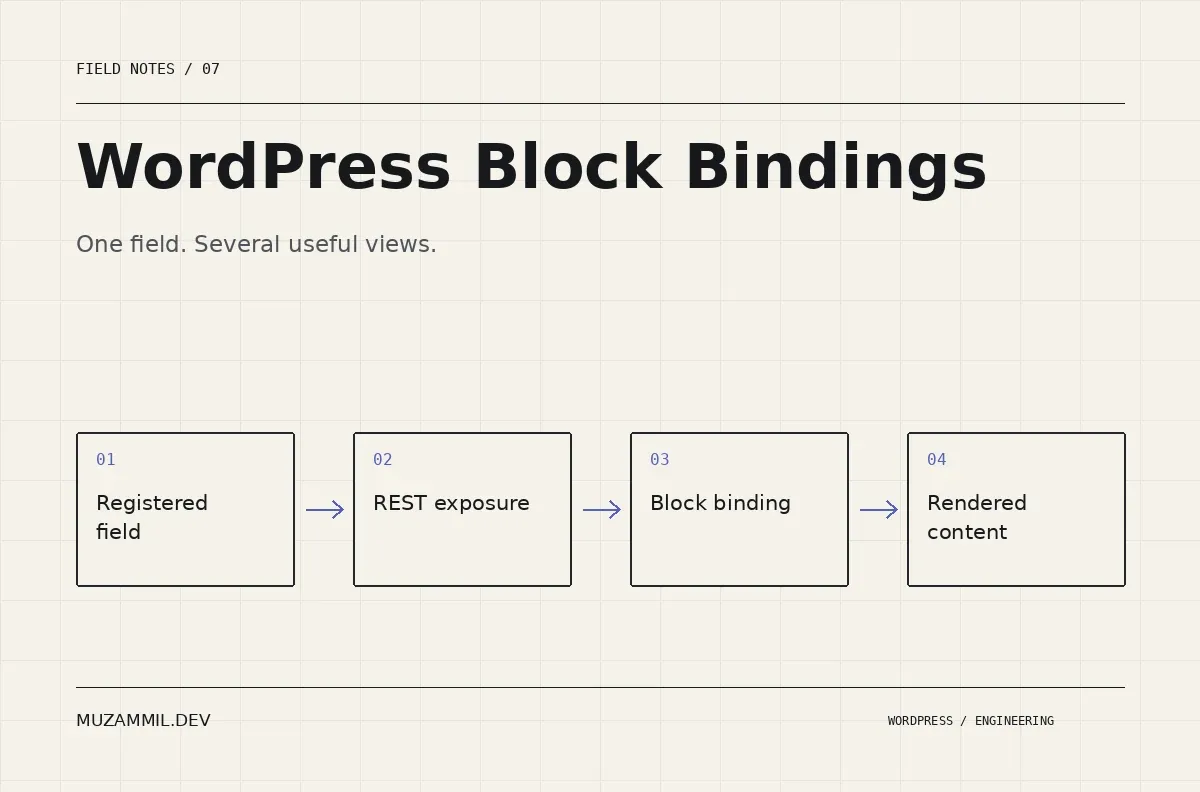
WordPress Block Bindings can connect a block attribute to a data source, so a project sector or client name does not need to be typed into every layout by hand. That is useful when the same fact appears in a case-study page, a card and a related-project section.
The feature is not a reason to expose every custom field through the REST API. It is a way to give public content a clearer source of truth. Before adding a binding, decide what the field means, where it lives and who can change it.
This walkthrough uses a public project-sector label. It focuses on the data contract and the saved block markup. It assumes a development plugin or theme setup where you can register metadata and test the editor safely.
Separate the fact from its presentation
Suppose a case study belongs to the healthcare sector. If that label is ordinary paragraph text, a content editor can write “Healthcare” on the full case study and “Health care” on the listing card. The difference may be harmless visually but becomes awkward when you need consistency.
A registered field gives the value a defined home. The layout can then present the same value in different contexts. However, not every fact should become a free-text custom field.
If you need to filter all healthcare projects, a taxonomy may be a better model. If the value is a one-off introductory sentence, normal block content may be simpler. Choose the data structure according to the questions the site must answer.
WordPress Block Bindings are the connection layer. They cannot repair an unclear content model.
Register a public field deliberately
The Block Bindings reference explains the requirements for the core post-meta source. In particular, the field must be registered for REST exposure, and protected keys beginning with an underscore are not supported by that source.
The following example registers a public string field on ordinary posts. Adapt the post type to your own registered project type. It is intentionally not a storage location for private client data.
<?php
/** Register a public label that blocks can read through REST. */
add_action( 'init', function () {
    register_post_meta( 'post', 'mz_project_sector', array(
        'type'              => 'string',
        'single'            => true,
        'show_in_rest'      => true,
        'sanitize_callback' => 'sanitize_text_field',
        'auth_callback'     => function ( $allowed, $key, $post_id ) {
            return current_user_can( 'edit_post', $post_id );
        },
    ) );
} );
The authentication callback concerns modification permissions. It does not make a REST-exposed public field secret. Keep that distinction in the handover notes.
For a custom post type, also check its supported features and REST configuration. The register_post_meta reference and metadata REST guide explain the related requirements. Registering a field does not, by itself, create a polished editing interface for it.
Populate the value through a controlled interface
Use a suitable metadata interface, a custom sidebar or another deliberate editing route. Do not tell editors to modify raw database rows. The interface should validate the expected value and make its public purpose obvious.
For a small controlled set of sectors, use a choice control or taxonomy rather than accepting arbitrary variations. That prevents the same concept from accumulating different spellings.
Also decide what an empty value means. It might mean the sector is unknown, the project is not ready to publish or the label should be omitted. Those are different editorial states. A binding that renders an empty string cannot choose the right business meaning for you.
Test both a populated post and an empty post before building the final card layout.
Add a binding to a supported block attribute
Here is an illustrative Paragraph block connected to the core post-meta source. The metadata identifies the source and the field key. WordPress resolves the bound value when rendering the supported attribute.
<!-- wp:paragraph {"metadata":{"bindings":{"content":{"source":"core/post-meta","args":{"key":"mz_project_sector"}}}}} -->
<p>Project sector</p>
<!-- /wp:paragraph -->
Do not paste the markup into a Custom HTML block and expect the binding to register there. It is Gutenberg block markup. Insert it through an appropriate development pattern or test it in the editor’s code view on a disposable page.
Also verify which block attributes your target WordPress version supports. A Paragraph content binding does not prove that every attribute of every plugin block accepts the same mechanism.
If a plugin provides its own source or editing interface, use its documented contract rather than assuming that it behaves like core post meta.
Check the post context inside a Query Loop
A card in a Query Loop represents the current loop item, not necessarily the page that contains the loop. That makes context a critical part of the test.
Create two posts with different sector values. Place the bound Paragraph inside the Post Template, then confirm that each card shows its own value. If every card displays the same sector, inspect where the block sits and what post context reaches it.
Do not work around a context error by hard-coding an ID into a reusable card. That makes the initial demo look correct while breaking the next project. Instead, fix the placement or source implementation so the value follows the current item.
The core Query Loop reference is useful when you need to understand how the collection and its inner template fit together.
Plan the missing-value layout
A card often includes a label, separator and spacing around the bound text. When the field is empty, those surrounding elements may remain.
Decide whether the whole metadata row should disappear or whether the card should show a neutral fallback. Then implement that decision through supported rendering logic. Avoid using CSS to hide every empty-looking row if the DOM still contains misleading labels.
For a custom binding source, a server callback can provide deliberate output or a fallback. However, a fallback such as “Healthcare” would be dishonest if the actual sector is unknown. A neutral omission is usually safer than invented content.
Also inspect search excerpts and shared previews if the field contributes to those surfaces. A value that appears correctly in the card may not automatically become part of every derived description.
Keep WordPress Block Bindings maintainable
Treat the field key like an API contract. If saved blocks refer to mz_project_sector, renaming it can affect content already stored across the site.
Before changing a key, inventory its uses and plan a migration. Include patterns, templates, individual posts and any integrations that populate the value. Preserve a backup and test both old and new content.
Write down the field’s type, public meaning, editor owner and expected fallback. Those four details help a future developer understand the binding without reverse-engineering a page.
Also keep data validation separate from visual formatting. Store a useful value, then decide whether a particular design presents it in uppercase or adds a prefix. Baking design punctuation into the field makes future reuse harder.
A small test matrix for a bound project card
Test a normal value, an empty value, a long value and a value containing punctuation. Then repeat the tests inside the Query Loop and on a single post.
Confirm that an authorised editor can update the field and that an unauthorised account cannot modify it through your editing route. Check the public REST response too, because exposure should be intentional and documented.
Next, change the card’s design without editing the stored field. The underlying fact should remain stable. Finally, change one field value and confirm every intended presentation updates after the normal cache process.
For the broader question of where structured data belongs, read custom tables versus custom post types. If a project currently duplicates the same facts across several pages, send me an example.
WordPress Block Bindings earn their place when they remove duplication without obscuring ownership. Start with one public field and a clear test, then expand the model only when the content needs it.


