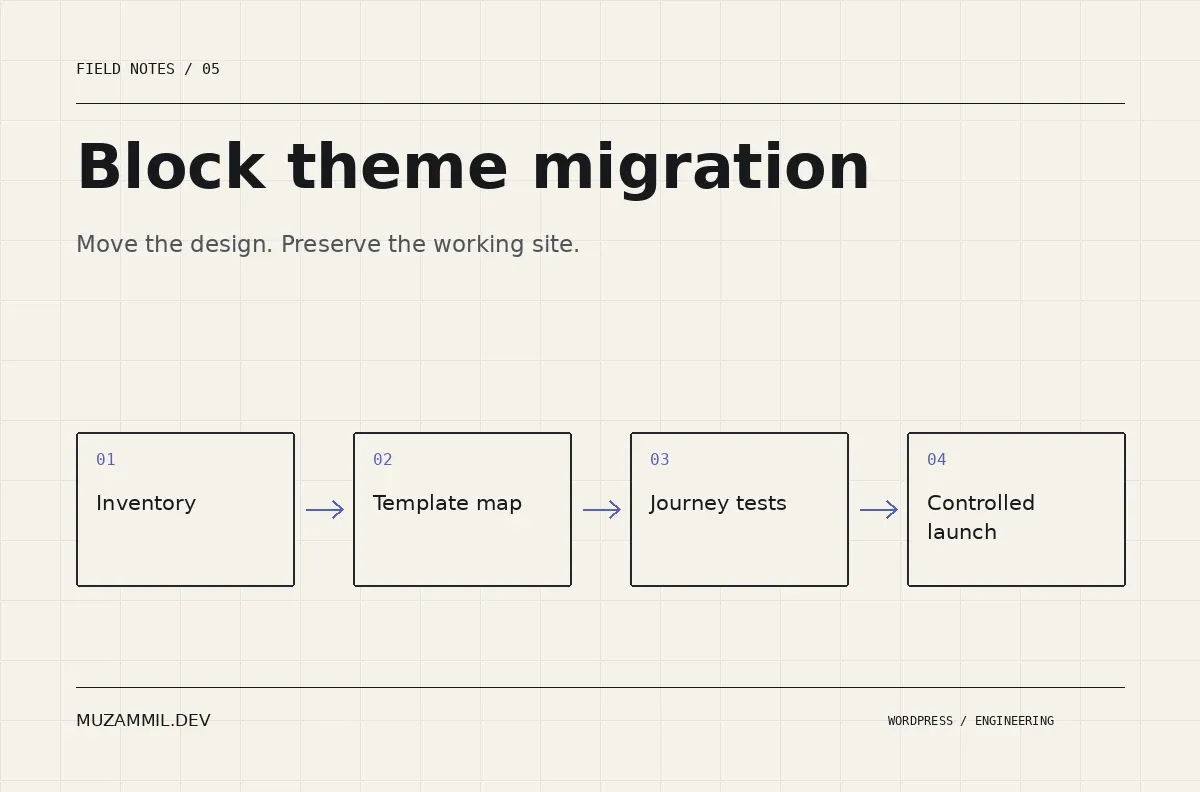
A block theme migration should make WordPress easier to maintain. It should not turn a working website into a redesign experiment that loses enquiries while everyone debates the new header.
Switching the active theme is the easy part. The harder work is identifying what the current theme quietly owns: templates, shortcodes, content types, form styling, tracking snippets and perhaps a function that someone added years ago.
This guide focuses on moving a business site to a block theme. It is not a promise of a one-click conversion from every page builder. The practical aim is to preserve the site’s useful behaviour while introducing the Site Editor, patterns and a more deliberate design system.
Define what the migration must preserve
Start with a list of business tasks. A prospect must find a relevant service, read proof, submit an enquiry and receive the right response. A store has additional requirements around accounts, products, orders and payment states.
Then list the important URLs. Use the sitemap, analytics and Search Console where available, but also ask the business owner which pages receive referrals or appear in proposals. A low-traffic page can still matter if it supports valuable sales conversations.
Save the current titles, descriptions, canonicals, status codes and internal destinations. Capture representative screenshots too. Without a baseline, “the site looks different” becomes the only regression test anyone can describe.
Also define what you intend to improve. Perhaps editors cannot build a service page without custom HTML. Perhaps the mobile menu blocks the contact button. A migration is easier to assess when it has a few specific outcomes rather than a vague promise to modernise everything.
Audit theme-owned functionality before a block theme migration
Read the current theme and child-theme code on a development copy. Identify custom post types, taxonomies, shortcodes, widgets and integrations. Also check snippets plugins and must-use plugins, because the theme is rarely the only source of behaviour.
Move durable business functionality into an appropriate plugin where necessary. A project content type should not disappear from the admin simply because you change the presentation layer. However, do not move code blindly; inspect its dependencies and test the new registration path.
For page-builder content, distinguish stored content from the renderer that displays it. A new block theme does not automatically translate proprietary layout data into native blocks. You may need a staged rebuild of selected pages while the old renderer remains active for others.
Create a short dependency register. Name the feature, its current owner, its future owner and the test that proves it works. This is the migration plan’s most practical document.
Build the template map before rebuilding pages
The WordPress Site Editor documentation explains the roles of templates, template parts and patterns. Use those distinctions deliberately.
Templates handle the recurring page structure. Template parts handle shared structural areas such as headers and footers. Patterns help assemble content sections. The page body should not contain a second header simply because copying one felt faster during a prototype.
Map the old site to a small set of templates: standard page, wide landing page, article, archive, search and 404. Add specialist templates only where the content task requires them.
Then test an ordinary page in each template. Include a page with a long title, an article with a table and a page containing a form. Templates should survive real content before you invest time in decorative details.
Give block theme migration a URL policy
Keep useful URLs when the content’s purpose remains the same. A redesign is not a reason to rename every page. If a URL must change, create a direct mapping from the old location to the relevant new one.
Avoid sending every removed page to the homepage. That makes the redirect file simple while making the user’s journey worse. Also inspect internal links, because a working redirect is not a reason to leave the whole site pointing at old paths.
Google’s site-move guidance is relevant when URLs change. A theme-only redesign is a narrower change, but its discipline around URL mapping and verification is still useful.
On staging, protect the site from indexing using your chosen access controls and indexing settings. At launch, verify that the production site does not inherit staging’s noindex directive. Check the actual HTML and response headers rather than trusting a remembered checkbox.
Move styles into a system, not twenty patches
A block theme migration is an opportunity to define shared colours, spacing and widths. Put those decisions into theme.json and supported block settings where practical.
However, inspect saved user settings before assuming that a new theme file controls everything. WordPress loads settings and styles through a hierarchy, as the theme handbook explains. Database-saved choices can override file defaults.
Decide which overrides belong in the final site. Export approved template and style work, and test the theme on a clean installation. The Create Block Theme plugin can support that packaging workflow, but exporting a ZIP does not replace a migration test.
Keep custom CSS scoped to a component or a genuine missing control. Broad rules targeting every heading or every Group can make a prototype look correct while breaking archives and future pages.
Test the routes that create enquiries
Make the contact journey part of every block theme migration review. Submit the real form with safe test data. Check validation, the success message, stored entries, notification delivery and any CRM connection.
Repeat on a narrow screen with the published header and sticky elements visible. A floating contact button can obscure a form control. A consent banner can cover the submit button. These problems do not appear when you inspect each component in isolation.
Also check telephone, email and booking links. Verify the destinations rather than only the labels. If the site uses conversion events, confirm that they fire on the completed action rather than on the first field click or button press.
Finally, test a failure. Disconnect the external integration on staging and see whether the enquiry remains recoverable. An attractive new theme should not hide a fragile lead-processing workflow.
Launch files and live data separately
For a brochure site, content may change slowly enough for a short editorial freeze. A store or membership site keeps receiving transactions, accounts and form entries. Replacing the live database with an older staging copy can erase those newer records.
Therefore, classify the deployment. Which files change? Which templates or global styles must move? Which settings need a controlled import? Which live tables must remain untouched?
If the hosting tool offers “push staging to live”, read exactly what it replaces. A convenient button does not understand your business data. Practice the deployment on a fresh copy before the launch window.
Also identify the point after which rollback becomes more complex. Restoring old files may be straightforward. Restoring an old database after new transactions arrive requires a plan to preserve or reconcile those records.
Make rollback a procedure you can perform
Take a current backup and confirm that the restore route works. Name the person who can trigger it and the conditions that justify it: a broken checkout, missing content, failed enquiries or an unacceptable error rate.
Keep the old theme available until the new release proves stable. Yet do not assume that reactivating it reverses every migration change. Content conversions, plugin removals and database edits may need separate recovery steps.
Prepare a short launch checklist with owners. Then record what was deployed and when. Those details help distinguish a theme regression from a DNS, cache or unrelated integration issue.
The first review after launch
Inspect important pages as a logged-out visitor. Confirm status codes, canonicals, indexability, navigation and forms. Compare performance using the same page and test conditions; a redesign can change the largest image or introduce new scripts.
Watch Search Console and analytics over an appropriate period, but do not treat one quiet day as a verdict. Look for technical failures first: missing pages, blocked crawling, broken internal links and lost conversion events.
For the broader planning questions, read the complex WordPress migration framework. If you want a technical review before switching themes, send me the current site and the staging build.
A well-planned block theme migration leaves the business with working journeys, preserved content and a system its editors can use. The redesign is successful when the next update becomes easier too.


