
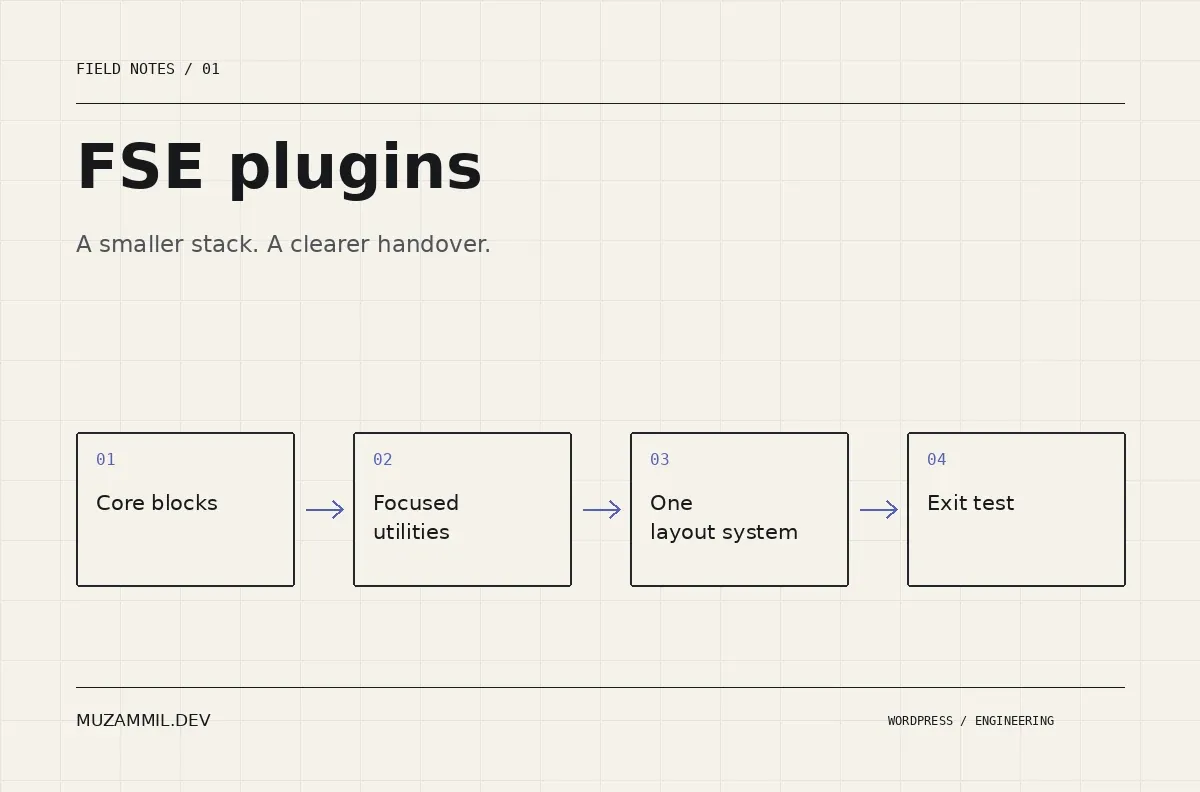
The best FSE plugins solve the gaps in a project without giving the next developer eight different ways to build a button. That sounds obvious until a client site contains three container blocks, two icon libraries and a pricing section nobody can safely edit.
WordPress full site editing gives you templates, patterns, global styles and layout controls. A plugin can extend those foundations. It can also introduce another styling system, another update dependency and another set of blocks that must survive a future redesign.
This is a production shortlist, not an instruction to install everything. The eight tools below serve different jobs. Some compete with each other; others complement core blocks. The feature descriptions come from their official listings. The selection advice is my engineering assessment, rather than a claim that I benchmarked every product on identical hardware.
Choose FSE plugins by the job your site needs
Write down the problem before you open the plugin directory. “We need more blocks” is too vague. “Editors need a reusable case-study card with a project-sector filter” gives you something to evaluate.
For a small service website, core blocks plus one focused utility may be enough. An agency with a large pattern library might need stronger layout controls. Meanwhile, a publication may care more about query rules than animated headings.
Use this map to shortlist FSE plugins. It is not a performance ranking.
| Plugin | Primary reason to consider it | Decision to make first |
|---|---|---|
| Create Block Theme | Exporting and packaging theme work | Who owns changes saved in the database? |
| Block Visibility | Conditional presentation | Does the rule interact safely with caching? |
| The Icon Block | Editable SVG graphics | Do you need a full block suite for one icon? |
| Advanced Query Loop | More precise content collections | Is the content model clean enough to query? |
| GenerateBlocks | A compact compositional layout system | Will your team learn its primitives consistently? |
| Kadence Blocks | A broader visual building toolkit | Which controls should editors actually use? |
| Spectra Blocks | Core-oriented extensions and layouts | Which Spectra generation does the site use? |
| Stackable | Design controls and reusable visual sections | How will its settings relate to theme.json? |
1. Create Block Theme: get the work out of the database
Create Block Theme can create, clone and export block themes. It can also save editor changes into theme files. This makes it useful during development and handover, when a site has accumulated template and style changes inside WordPress.
Consider a staging site with an approved header. If the only copy of that header lives in the staging database, shipping a theme ZIP alone may not reproduce it. An export workflow helps expose that gap.
Treat this as a developer tool. The plugin’s own listing warns that saving changes can permanently alter the active theme. Work on a backup or staging copy, review the exported files, and install the result on a clean test site. Exporting is a step in delivery, not proof that every asset and dependency travelled correctly.
2. Block Visibility: useful conditions need a cache plan
Block Visibility adds conditions such as scheduling, user roles and screen size. Its listing distinguishes server-side visibility from screen-size controls, which use CSS.
That distinction matters. A mobile-hidden block may still exist in the document. Therefore, hiding something on a small screen does not make it private. Likewise, presentation rules are not a substitute for permission checks on downloads or account data.
For a seasonal banner, test the start time, expiry time and site timezone. Then repeat the test while logged out through the actual page cache. A condition can be correctly configured while a cached response still shows yesterday’s campaign. FSE plugins that personalise presentation need the same deployment care as any other dynamic feature.
3. The Icon Block: one capability, one clear owner
The Icon Block adds a dedicated SVG block, a built-in icon library and controls for custom SVG graphics. The official listing confirms Site Editor compatibility.
It is a sensible option when your design needs a few well-placed icons but does not justify a large layout library. However, the tool cannot choose a coherent visual language for you. Mixing a solid shopping bag, a thin outline arrow and a cartoon cloud still produces a disjointed page.
Choose a stroke weight, viewBox and sizing convention. Use visible text alongside meaningful actions. Decorative icons should stay out of the accessibility tree where the available controls allow it. Finally, accept custom SVGs only from trusted sources and review how your upload workflow sanitises them.
4. Advanced Query Loop: fix the content model before the grid
Advanced Query Loop extends query controls with taxonomy, post-meta, date and inclusion rules. It is worth evaluating when the standard Query Loop cannot express an editorial collection.
For example, a consultancy might need recent healthcare projects while excluding the current case study. That is a query problem. Making another set of manually copied cards would create an updating problem instead.
First check the underlying data. If half the projects use a category and the others store the same sector in a text field, more query controls will not create consistency. Also test empty results, pagination and the cost of metadata queries using realistic content volume. A six-item demo cannot tell you how a large archive behaves.
5. GenerateBlocks: learn the building pieces properly
GenerateBlocks centres its toolkit on compositional blocks such as containers, text, images and queries. Its documentation separates free functionality from additional Pro capabilities.
I would shortlist it for a team that prefers a small vocabulary of flexible building pieces. That approach can suit a custom design system, because you can build several patterns from the same primitives.
The trade-off is discipline. A compact toolkit still allows inconsistent spacing and arbitrary styles. Establish a few approved sections, decide how its controls relate to your theme presets, and document any paid dependencies. Before adopting it across a client portfolio, rebuild one real service page and ask another editor to modify it without your help.
6. Kadence Blocks: evaluate the editing workload
Kadence Blocks offers a broad visual toolkit inside the block editor. Its range makes it worth considering when a client needs more ready-made components and detailed design controls.
For broader FSE plugins, the question is how those controls affect everyday work. A designer may welcome another panel of responsive settings. A client who changes an opening-hours paragraph may find the same panel distracting.
Build a representative page, including a long heading, an unusually tall image and a nested section. Then test keyboard navigation, narrow screens and the saved frontend. Check the exact edition and add-ons required for your chosen components. Avoid promising that an entire suite is accessible or fast simply because one demo looks polished.
7. Spectra Blocks: confirm the product generation
The official Spectra Blocks listing describes a separate plugin from Spectra Legacy. That makes the product name an important part of your migration notes, rather than a minor detail.
Its current approach combines its own building blocks with extensions to core blocks. The listing also explains that AI features use an external service and account credits. If a client does not need AI generation, those features should not determine the purchase decision.
For an existing site, inventory which block names appear in saved content before replacing anything. A new plugin with a familiar brand does not automatically render older blocks. Trial the new system on a separate page, preserve the working version, and plan any transition around the content you actually have.
8. Stackable: give its design system a boundary
Stackable provides custom blocks, design controls and reusable visual layouts. Its listing describes integration with block-theme styles and theme.json, which is relevant when you want sections to inherit a common visual foundation.
I would evaluate it with an actual brand system rather than its default demo. Change the site’s font, button treatment and spacing scale. Then inspect whether the imported sections respond as you expect.
Also decide which settings belong to the theme and which belong to Stackable. Two separate global palettes can drift. If the team cannot explain where to change a brand colour, the setup needs simplification before handover.
A practical acceptance test for FSE plugins
Choose one difficult page, not ten easy demos. Include your real navigation, a query, a form and a reusable call to action. Test it as a logged-out visitor, a content editor and an administrator.
Record the plugin version and active modules. Next, save screenshots and inspect the browser network panel. Compare the same page with the same cache state. Do not call a plugin “lightweight” based only on its ZIP size or a vendor’s claim.
Then run an exit test on a disposable copy. Deactivate the candidate and check what remains: text, styling, layout, dynamic output and editor warnings. Some plugin-specific blocks reasonably depend on their plugin. The point is to know the dependency before it becomes a surprise.
Finally, ask a colleague to change a heading, replace an image and add a case study. If those ordinary tasks require a developer, the stack has not met the client’s editing needs.
Which FSE plugins I would install first
Start with the block theme and core patterns. Add a query extension only when the required collection exceeds core controls. Add an icon utility when the design needs it. Choose one main layout suite if the project needs a suite at all.
The older seven-plugin roundup introduces focused editing tools. This selection goes further into ownership and dependency choices. For team permissions and pattern control, see the block-theme governance guide.
Good FSE plugins should make the site easier to build and easier to inherit. If you need help choosing that stack, send me the page and the editing tasks it must support. That is a more useful starting point than a list of plugins somebody else installed.


Leave a Reply
You must be logged in to post a comment.